

Most trade business owners do not wake up excited about accounting software. You got into the game to work with your hands, build things, fix things, and get paid. But at some point you are knee-deep in receipts, chasing invoices, and guessing whether last month was actually profitable. That is when the admin problem becomes real, and that is usually when tradies start looking at Xero for tradies as a way to get the books under control without hiring a full-time office person.
Xero is one of the most widely used options for Australian trade businesses, and it is the platform we set our trade clients up on most often. AVH Business Services has been helping trades get clean, reliable books since 2009, and we are a Xero Gold Champion Partner and Certified Advisor, so the guidance below comes from years of doing these setups properly the first time.
Quick Answer: Is Xero Good for Tradies?
Yes. For most Australian sole traders and small trade crews, Xero is a strong fit because it handles the jobs that eat your admin time: quoting and invoicing from your phone on site, capturing receipts before they disappear, connecting bank feeds, tracking GST, and preparing for BAS. The real value comes from setting it up correctly, with your chart of accounts, GST settings, and job tracking configured before you enter a single transaction. If you run multiple crews or need detailed scheduling, you pair Xero with a job management app rather than expecting Xero to do everything on its own. AVH Business Services has set Xero up for trade businesses across Brisbane, Sydney, and Melbourne since 2009, and our bookkeeping for tradies service keeps the file clean once it is running.
Is Xero the Right Fit for Your Tradie Business?
Not every accounting tool is built with a tradie in mind. Xero gets close, but whether it fits depends on the size of your operation and how complicated your jobs actually are.
Best for Sole Traders and Smaller Teams
Xero suits owners who want to spend less time on admin and more time on the tools. If you are a plumber, electrician, carpenter, or running a small service crew, it covers the basics well. Mobile invoicing, receipt capture, bank feeds, and GST support are all built in. You do not need an accounting degree to use it, which is rather the point of choosing accounting software for tradies in the first place.
Where It Helps Most
Xero covers the tasks that swallow most of a tradie’s admin time. You can send quotes and invoices straight from your phone on site, capture receipts before they vanish into the work van, and track income and expenses by job. Bank and credit card feeds connect directly to cut down on manual entry, and your GST position pulls together automatically as BAS time rolls around.
Where It May Fall Short
If you are managing multiple crews, tracking detailed construction stages, handling variations regularly, or running a complex multi-site operation, Xero on its own will start to feel tight. It is accounting software, not job management software. That distinction matters more as your business grows, and it is why most growing tradie businesses run Xero alongside a dedicated job management tool.

What to Prepare Before You Start
Getting set up properly takes less than a day if you have the right things ready. Pull these together before you log in for the first time:
- Your ABN and business details
- GST registration status
- Bank and credit card login access
- Current customer list
- Active jobs or projects
- Services and pricing list
- Material and subcontractor categories
- Your invoice terms and any branding you want on documents
- Payroll details, if you have staff
- Bookkeeper or accountant contact details and access
If you already use another app for quoting, timesheets, or job management, note that too. You will want to know what needs to connect to Xero and what does not.
How to Set Up Xero for a Tradie Business in Australia
Getting the setup right the first time saves you a lot of cleanup later. Work through this in order.
1. Add Your Business Details and Settings
Start by filling in your business name, ABN, address, and contact details. These flow through to every invoice and document you produce, so get them right before anything else.
2. Turn On GST and Confirm Your BAS Reporting Basis
In your financial settings, turn on GST and set your reporting basis (cash or accrual) along with how often you lodge, monthly or quarterly. If you are unsure which applies to you, check with your bookkeeper before touching this section, because the wrong setting distorts every BAS you lodge afterwards.
3. Connect Your Bank and Credit Card Feeds
Once your bank is connected, transactions pull in automatically and you stop entering them by hand. Set this up early and leave it running.
4. Review and Tidy Your Chart of Accounts
Xero provides a default chart of accounts. Review it, remove categories you will never use, and add specific ones that match how you actually operate so your reports stay readable.
5. Set Up Job Tracking
For trade work, the value is in seeing what each job earns and costs. Xero Projects lets you assign income and expenses to a specific job so you can see real profitability, while tracking categories offer a lighter option if your jobs are simple. Decide which suits you before you start entering work.
6. Create Your Customers and Active Jobs
Add your current client list and set up a project for each active job. You can import from a spreadsheet if your list is long.
7. Build Your Service and Inventory Items
Create a separate item for each type of work you bill. Specific names like “labour”, “call-out fee”, and “subcontractor costs” produce cleaner reports than vague labels ever will.
8. Customise Your Quotes and Invoice Templates
Add your logo, set your payment terms, and confirm your ABN appears on every invoice. In Australia this is a legal requirement for tax invoices over $82.50 if you are registered for GST.
9. Set Up Receipt Capture
Xero includes Hubdoc, which reads your receipts and bills and pulls the details in automatically. Set this up so site receipts stop disappearing before they ever reach your books.
10. Add Users, Payroll, and Bookkeeper Access
Give your bookkeeper or accountant access now, before anything looks confusing. If you have staff, set up Xero Payroll and confirm your Single Touch Payroll reporting is configured correctly.
11. Run Your First Reports and Check the Numbers
Pull a profit and loss report and review your GST position once your opening data is in. If the numbers look off, fix the setup now rather than discovering the problem at BAS time.
How to Organise Jobs, Labour, Materials, and Subcontractors
Sloppy organisation at the start leads to reports that tell you nothing useful later. Set things up cleanly now and your books will actually help you run the business.
Set Up Jobs the Right Way
Each project in Xero should represent one job or one client engagement. All income and costs flow into it, so when the job wraps up you can see exactly what came in and what went out. This matters because gut-feel profitability is rarely accurate. The numbers either confirm what you suspected or show you something you missed.
Use Clear Item Names from Day One
Vague service names like “work” or “job” make sense when you create them, but they mean nothing three months later. Use specific labels from the start and your reports will stay readable without extra cleanup. The core items most trade businesses need are labour (with standard and overtime rates separated if needed), materials, call-out fees, equipment hire, and subcontractor costs.
Track Profit by Job, Not Just by Month
A good month on paper does not mean every job in it was profitable. Tracking at the job level shows you which types of work actually make money and which ones quietly cost you more than you charge. Over time this changes how you quote, because the data tells you the truth before you submit the next one.
How to Handle GST, BAS, and Bookkeeping Without the Stress
GST and BAS do not have to be stressful if your file is set up correctly from the start. Most of the pain comes from problems that were easy to avoid earlier.
Set GST Codes Correctly from the Start
Not everything your business touches has GST on it. Most of your sales and expenses will be GST-inclusive, but wages, some insurance premiums, and certain financial services are either GST-free or out of scope entirely. Assigning the wrong code to a regular expense quietly distorts your BAS figures every single quarter. Keep it simple at the setup stage, and when in doubt, ask your bookkeeper rather than guessing.
Review Your BAS Data Before Lodgement
Pull your GST position at least a week before your BAS is due. Check it against your bank reconciliation and look for transactions that were never coded, expenses sitting in the wrong account, or anything that looks out of place. Finding these issues a week out is manageable. Finding them the morning your BAS is due is not.
Keep Your Books Cleaner Each Week
Ten minutes a week is worth more than a half-day scramble every quarter. Match your bank transactions regularly, reconcile your accounts at least once a month, and fix any coding mistakes as soon as you spot them. A clean file at BAS time also means your bookkeeper spends less time on corrections and more on advice that actually helps your business.
Features That Tradies Will Actually Use
Xero has a lot of features, but most tradies end up relying on the same handful every week.
Quotes and Invoices on the Go
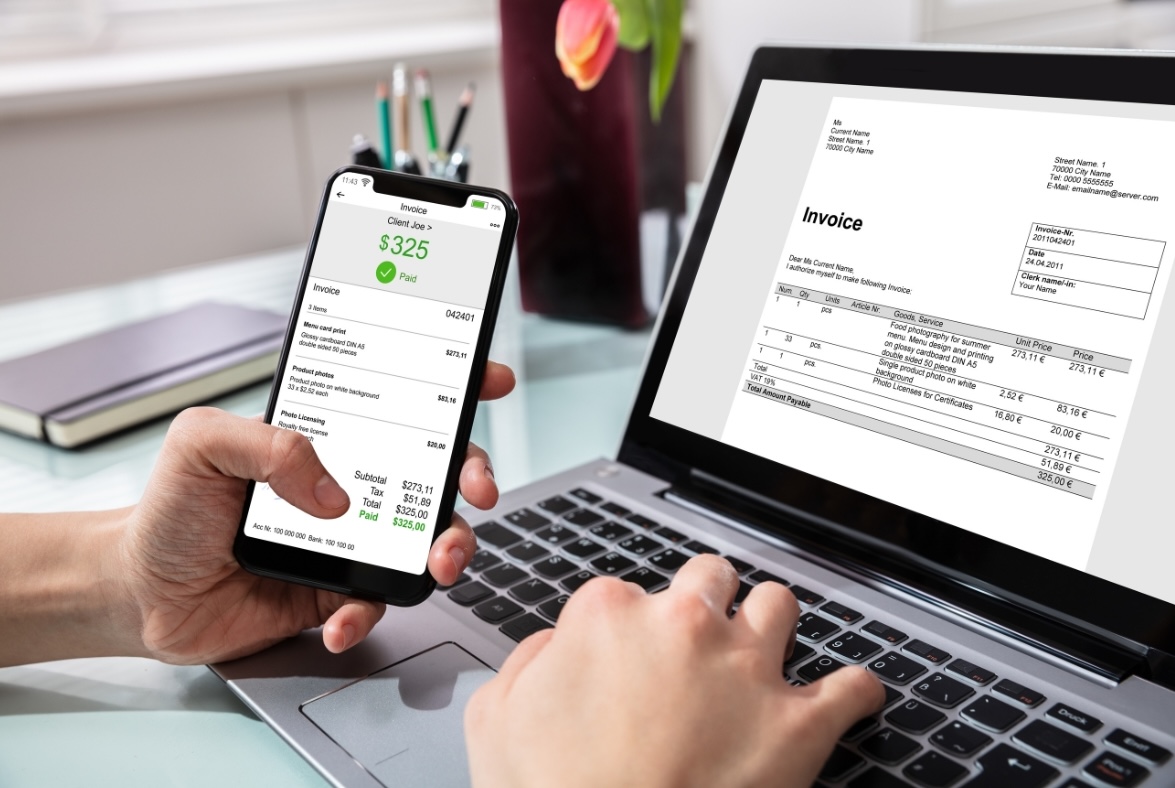
You can create and send a quote or invoice directly from your phone while you are still on site. Faster invoicing means faster payment, and it clears the pile of invoices to send that builds up by Friday afternoon.
Receipt Capture from the Site
Photograph a receipt through Hubdoc and the details are extracted automatically. This replaces the crumpled-receipts-in-the-glovebox system that most tradies run on and quietly dread at tax time.
Bank Feeds and Real-Time Visibility
Once your bank account is connected, transactions feed in automatically and your cash position updates in real time. You can check where you actually stand at any point without logging into your bank separately.
Job Tracking for Real Profitability
Xero Projects lets you group income and costs against each job so you can see which work is paying off and which is not. For trade businesses, this is the difference between a useful file and a basic one.
Reports That Help You Make Faster Decisions
Profit and Loss, Aged Receivables, your GST report, and project profitability are the reports most trade business owners actually need. Running them regularly gives you a clear picture of where the money is coming from and where it is going before small problems turn into big ones.
Common Setup Mistakes to Avoid
Most Xero problems are not software problems. They are setup problems that quietly cause headaches weeks or months later.
- Tracking everything as general income. Without job tracking turned on, all your income lumps together and you lose any visibility into which jobs made money.
- Using vague service names. Labels like “work” or “services” mean nothing six months later. Specific names take two extra minutes to set up and save hours of confusion.
- Mixing personal and business expenses. Sorting a combined account at tax time is slow and your bookkeeper will bill you for the extra work. Keep a dedicated business card for business spending.
- Leaving GST settings unchecked. If your reporting basis or lodgement frequency is wrong, your BAS figures will be wrong from the start. Confirm these before you enter a single transaction.
- Not connecting bank feeds early. Every week without feeds connected is more manual data entry than necessary. Set it up on day one.
- Sending invoices before templates and terms are cleaned up. Your invoice is often the first formal document a client receives. Make sure your logo, ABN, and payment terms are correct before anything goes out.
When Xero Is Enough, and When to Add a Job Management App
Xero does a lot, but it is not the only tool every trade business needs. Knowing where it fits and where it stops saves you from either overcomplicating your setup or outgrowing it too quickly.
Sole traders and small crews doing service and maintenance work will find Xero covers everything they need. Invoicing, expense tracking, bank feeds, and GST reporting handle the full admin load. The mobile app and straightforward setup mean you can run your admin from a site without a dedicated office person.
Once you are managing stage-based work, variation-heavy jobs, crew scheduling, or several active sites at once, you add a job management app on top. This is where Xero apps for tradies come in. Tools like Tradify, ServiceM8, simPRO, and WorkflowMax handle quoting, scheduling, and on-site job management, then sync jobs, invoices, and expenses back to Xero automatically so you are not double-handling. The right combination depends on how your business genuinely operates, not on what costs the least or what someone recommended in a Facebook group.
Conclusion
The software matters less than how well you set it up. A simple, well-organised Xero file will save you more time and money than a feature-packed setup that was never configured properly. If GST codes, BAS preparation, payroll, or job tracking feel confusing at any point, that is a sign to get expert help early, because fixing a messy file later costs far more than setting it up correctly from the start.
This is also one of the clearest reasons small trade businesses benefit from professional bookkeeping for small business before messy records start affecting cash flow, tax planning, and day-to-day decisions. AVH Business Services works with trade businesses across Brisbane, Sydney, and Melbourne to get Xero set up properly and keep the books clean throughout the year. Whether you need a full setup, a file review, or ongoing support, reach out for a consultation and we will make sure your Xero file reflects how your business actually runs.
Key Takeaways
- Xero is a strong fit for Australian sole traders and small trade crews with simple to moderate admin needs, but the software alone is not enough. The biggest win comes from a clean setup.
- Get GST settings, bank feeds, job tracking, and invoice templates configured correctly before entering any transactions. Wrong settings at the start distort every BAS afterwards.
- Job-level tracking through Xero Projects is what separates a useful file from a basic one. When income and costs are grouped by job, your quoting improves and weak margins become visible early.
- Hubdoc is included with Xero and handles receipt capture automatically, which removes the glovebox-receipt problem most tradies face at tax time.
- Growing trade businesses pair Xero with a job management app like Tradify, ServiceM8, simPRO, or WorkflowMax for scheduling and detailed job control.
- A clean file saves your bookkeeper time and turns your accounting into advice that actually helps you run the business.
Frequently Asked Questions
Is Xero good for Australian tradie businesses?
Yes. Xero suits tradies who want simple invoicing, expense tracking, and reporting, and it is widely used across Australian trade businesses. It works particularly well for sole traders and small teams with straightforward admin needs. The mobile app means you can run most of your admin from the worksite rather than the office. For more complex operations, you usually pair it with a job management app.
Can I do my BAS on Xero?
Yes. Xero is Standard Business Reporting enabled, so you can prepare and lodge your BAS using the financial data already in your file. It pulls your GST position together automatically, which reduces the manual work each quarter. The accuracy of that figure depends entirely on your transactions being coded correctly through the period. Reviewing it a week before lodgement is the safest approach.
Is Xero good for sole traders?
Yes. Xero is one of the most popular options for sole traders because it is easy to use, cloud-based, and built for Australian tax requirements. Sole traders use it to send invoices, track expenses, reconcile their bank, manage GST, and prepare BAS. A simple setup means you can stay on top of your books without needing an accounting background. It scales with you if you take on staff later.
Can I track labour, materials, and subcontractor costs in Xero?
Yes. You can set up separate items and categories for each cost type, then assign them to a job using Xero Projects or tracking categories. This makes it easy to check job profitability and keep your records clean. Clear item names from day one keep your reports readable months down the track. It also makes your quoting more accurate over time.
Does Xero track job profitability?
Yes, through Xero Projects, which lets you assign income and expenses to a specific job and see real-time profitability. You can track labour, materials, and overheads against each project rather than guessing at the end. For very simple operations, tracking categories offer a lighter alternative. Either way, job-level visibility is what turns the data into better quoting decisions.
Can I send quotes and progress invoices from my phone?
Yes. Xero’s mobile app lets you create and send quotes and invoices while you are still on site, which gets you paid faster. You can also capture receipts and approve supplier bills from the app. For staged or milestone billing on longer jobs, a connected job management app handles the staging and syncs the invoices back to Xero. This keeps cash flowing through long jobs without rebuilding invoices from scratch.
Do I need another app for scheduling and job management?
It depends on how complex your workflow is. Xero handles the money side well, but it is not built for crew scheduling, stage tracking, or multi-site oversight. If you manage multiple crews or jobs, a dedicated job management app such as Tradify, ServiceM8, simPRO, or WorkflowMax fills that gap. These integrate with Xero so jobs, invoices, and expenses sync automatically.
What apps work with Xero for tradies?
Xero connects to a wide range of trade-focused apps, with Tradify, ServiceM8, simPRO, and WorkflowMax among the most common for quoting, scheduling, and job management. Hubdoc is included for receipt and bill capture. The right combination depends on your size and how your jobs run, not on what is cheapest. Setting these connections up correctly avoids double-handling between platforms.
What are the disadvantages of Xero for trade businesses?
Xero is accounting software, not job management software, so on its own it does not handle detailed scheduling, stage tracking, or multi-site job control. Larger or variation-heavy trade businesses usually need to add a separate job management tool, which is an extra cost. There is also a short learning curve when you first move over from spreadsheets or another system. A proper setup and a bit of guidance early on removes most of these friction points.
Should my bookkeeper have access from the start?
Yes. Giving your bookkeeper access early helps you avoid setup mistakes that are expensive to unwind later. They can check your GST settings, chart of accounts, and reporting are right before you build up months of transactions. It also means your file stays clean throughout the year rather than needing a major cleanup before BAS or tax time. With ongoing oversight, you spend less time fixing bookkeeping errors and more time running your business.
Related Post
Why Your Bookkeeper Needs Bank Statements for BAS
Bank Statements: Why Does AVH Need Them If You Have Xero? If your bank account is connected to Xero, you might wonder why AVH...

Xero Hubdoc Setup: How to Set Up Hubdoc in Xero
If your desk has a “receipt pile” that seems to multiply overnight, you’re not the only one. Supplier invoices land in your...

What Is Dext? Uses, Software Features for Business Owners
If you have ever lost a receipt, spent an afternoon on manual data entry, or handed your accountant a shoebox of invoices, Dext...
0 Comments